
Mobile play · Updated August 2026
The JokaRoom Casino App Question, Answered
There is no native JokaRoom app to download — not on Google Play, not on the App Store, not anywhere the operator points you. What you can have takes four taps: the full mobile lobby saved to your home screen, opening from its own icon with the address bar gone.
Checked 15 August 2026
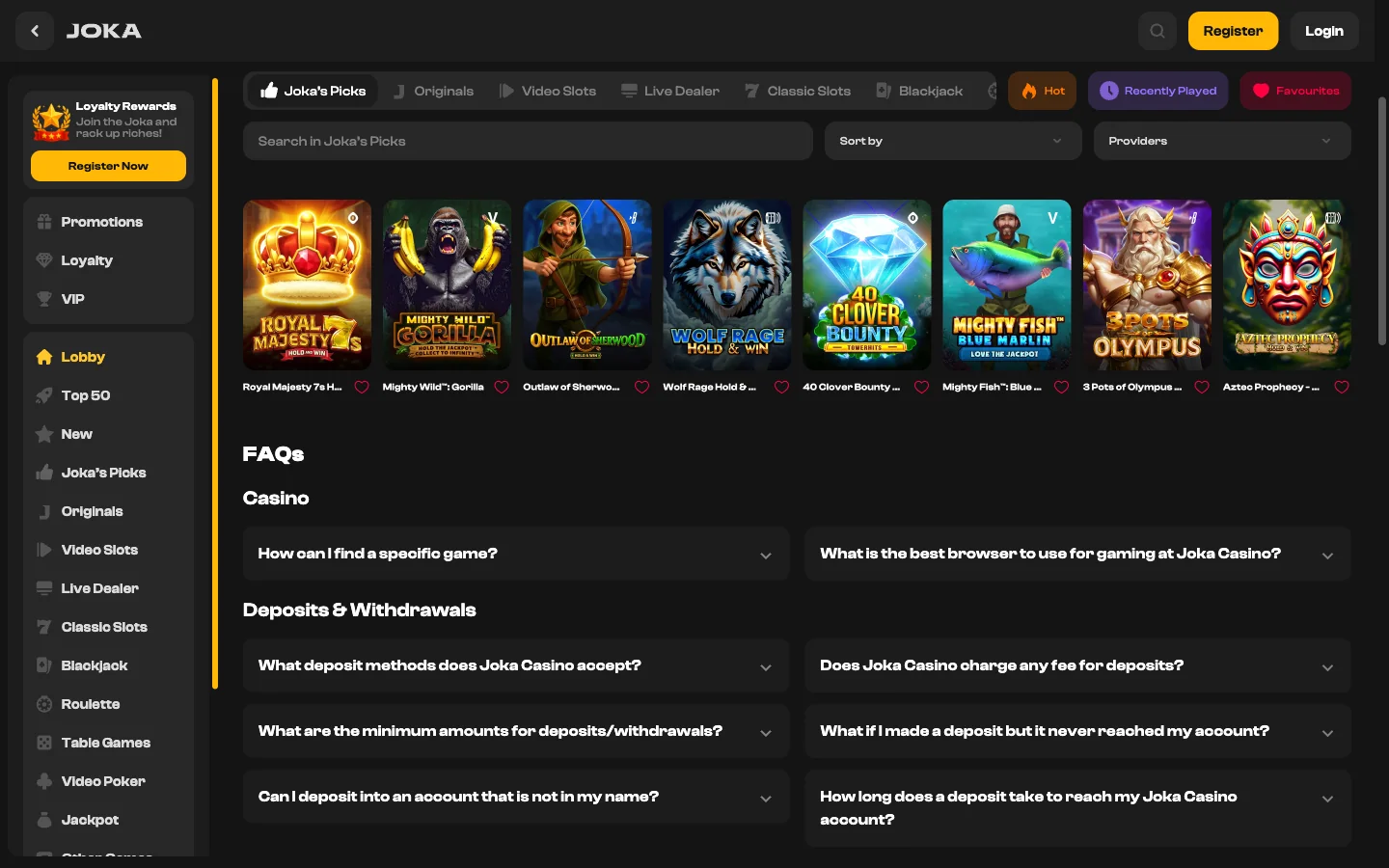
No native application exists for Android or for iOS. The operator's own Quick Facts row says "Mobile Casino: Browser-Based", and that line is the whole story — play runs in your phone's browser, at the same address, on the same account. The rest of this page makes that browser page behave like an app.
Is There a JokaRoom Casino App? The Short Answer
No. There is no native JokaRoom application for Android or iOS, and the operator does not claim there is one.
What exists is the mobile site: the entire casino — lobby, cashier, live tables, account menu — rendered in your phone's browser and saveable to the home screen so it launches from an icon. That is not a stopgap. It is how mobile play was built here, and everything below treats it as the actual product.
What Happened to the JokaRoom App That Used to Be Listed
This is the part that explains why half the internet still tells you to download something. There was a listing once. It went, and nothing replaced it.
| When | What was found | What it means |
|---|---|---|
| 2021 | An Android package titled "JokaRoom Casino" on a third-party mirror, credited to a publisher unconnected to the casino and marked "coming soon" on its own page | Not the operator's software. Five years old and unfinished by its own description. We do not name the host. |
| Until April 2024 | A Google Play entry called "Jokaroom online" | Unpublished in April 2024, never reinstated. This is the listing outdated pages still remember. |
| Any date we have checked | Apple's App Store | Nothing. No listing under this brand that anyone can produce. |
| August 2026 | The operator's own Quick Facts table, row "Mobile Casino" | Reads "Browser-Based". The casino says it itself, in its own summary, in one word. |
So why do so many pages still say "download it from Google Play or the App Store"? Copy age, mostly — a page written in 2022 and lightly refreshed in 2026 keeps its old instructions, because nobody re-checks a sentence that sounds obviously true. The rest is template writing. Once three pages say it, the fourth copies them.
My own view: the missing Play listing is less interesting than it looks. Google wants a gambling licence in the country you distribute to, Australia issues none for online casino play, and an offshore brand was never holding that permission long.
Putting JokaRoom on an iPhone Home Screen
Four taps, about ninety seconds. The rule that catches people out is the browser — this has to be Safari.
- Open the casino in Safari Not Chrome, not Firefox, not a browser living inside another app. On iOS the Add to Home Screen control sits in Safari's own share sheet, so starting elsewhere removes the option you need.
- Tap the Share button The square with an arrow leaving the top, in the toolbar along the bottom of the screen.
- Swipe up to Add to Home Screen It sits below the row of sharing targets, in the grey list, beside a small plus. Further down than most people expect, which is why the step gets missed.
- Rename it and tap Add iOS proposes the page title, far too long to sit under an icon. Cut it to a word or two, then tap Add in the top right.
What you get is close to an app. The icon lives with your other apps, and tapping it opens the lobby full screen with no address bar, so the game grid gets every pixel. Your session normally survives between launches. No store review, no version number, no storage cost beyond the browser cache.
What you do not get, since nobody else says it: push notifications, so the shortcut cannot ping you about a tournament, and offline play. The second is barely a loss — real-money games are dealt server-side, so a native app could not run them offline either.
Load the JokaRoom lobby on your phone
Putting JokaRoom on an Android Phone
Android is the easier of the two, and it occasionally offers to do the work for you.
- Open the casino in Chrome Edge, Firefox and Samsung Internet all play the games and carry their own version of this menu, but Chrome's wording is what follows.
- Tap the three-dot menu Top right corner, beside the address bar.
- Choose "Add to Home screen" or "Install app" Which one appears depends on your Chrome version. They are the same action wearing different labels.
- Confirm the name and the placement Chrome asks once, and then the icon is there.
The difference from iOS: Chrome sometimes goes past a bookmark and offers a genuine install prompt, producing a windowed launcher with its own entry in the app drawer and its own task in the recent apps carousel. When you see "Install app" rather than "Add to Home screen", that is the better of the two.
An "Install app" prompt inside Chrome is not an APK and does not install one. It writes a launcher that opens the same website in a clean window — nothing joins your system, and Android never asks you to allow installs from unknown sources. If a page does ask for that in this brand's name, you are not at the casino. Never sideload a file for JokaRoom. There isn't one.
JokaRoom Casino App Download Links Are the Wrong Thing to Click
Search "jokaroom casino app download" and the results will happily give you something. That is the problem.
A sideloaded Android package is not a document sitting there being harmless. Installing one hands an unknown developer the right to run code on the device you bank from, and the permissions a gambling-themed file asks for are the ones that hurt: SMS access, where your one-time banking codes land; accessibility services, which can watch and drive every other app; overlay drawing, which lets one screen sit invisibly above another so your login goes somewhere you never intended; and background network access, which is how anything collected leaves.
Offshore casino brands are a known target for this, for an unglamorous reason. The searches carry real intent, the audience is used to being told the real site lives somewhere unofficial, and the brands are hard to verify. When the honest answer is "there is no app", the whole download space is unofficial by definition — exactly the space somebody malicious wants.
Two checks, a minute between them:
- Does the operator's own site offer it? Open the casino directly and look for a download link on its own pages. There is none, and its Quick Facts say browser-based. If the operator offers no file, no third party holds a legitimate copy.
- Does the publisher name match the casino? Every listing and every mirror shows a developer name. A studio you have never heard of, or a generic account with a few unrelated titles, did not build this casino — whatever the icon suggests.
Blunt beats polite here: you lose nothing by skipping the download. The browser hands you the same games, the same cashier and the same account.
Browser or Home-Screen Shortcut: What Changes at JokaRoom
Not much changes, and that is the honest framing. The shortcut is a convenience layer rather than a different product — but the small differences add up over a week of use.
| What you notice | Ordinary browser tab | Home-screen shortcut |
|---|---|---|
| How you launch it | Open the browser, find the tab or bookmark, load. Two or three steps, one of them remembering the address. | One tap on an icon sitting with your other apps, which removes the moment where you might search the brand name instead. |
| Address bar and browser furniture | Visible. Costs a strip at the top, plus the iOS toolbar at the bottom. | Hidden. The lobby runs edge to edge, which matters on an upright phone where a pokies grid is already tight. |
| Session and login | Persists while cookies are allowed and you are not in private browsing. | Same cookie store, so you usually stay signed in between launches. Sign-in faults are identical either way — see JokaRoom login. |
| Storage on the device | Whatever the browser cache holds, typically a few megabytes. | Identical, plus an icon. Nothing is installed, so no application entry grows quietly in your storage settings. |
| How updates arrive | Instantly. The site is the software. | Instantly, for the same reason. No version to update, no patch to wait for, no morning where a new build breaks your favourite game. |
That last row is the quiet advantage of a browser casino, and nobody sells it. When the operator adds a game or fixes a bug you have it on your next load — no review queue, no staged rollout, no half the players stuck on something older.
Try the JokaRoom mobile site now
What the JokaRoom Mobile Casino Runs On
The requirements are modest, which is rather the point. The data figures deserve more of your attention.
| Item | What works | Notes |
|---|---|---|
| iPhone and iPad | Safari, plus other iOS browsers for play | Only Safari reliably offers Add to Home Screen. iOS 15 or newer keeps the shortcut behaving full screen; older releases load the lobby but the icon feels more like a bookmark. |
| Android phones and tablets | Chrome, Edge, Firefox, Samsung Internet | Chrome on Android 9 or newer is where the "Install app" prompt appears. The other three play everything and offer their own add-to-home option. |
| Screen and orientation | Anything from a small phone upward | Pokies are built for upright phones. Live tables and Megaways grids read better sideways, and a tablet lands close to the desktop layout. |
| Pokies — data per hour | Roughly 40–80 MB, estimated | Most of the weight is a game's first load. After that a spin is a small exchange of messages, so a long session costs less per hour than a short one. |
| Live dealer — data per hour | Roughly 400 MB to over 1 GB, estimated | Clearly the heavier of the two, by a wide margin. Real studio video, streaming whether you bet or watch, and higher quality pushes it to the top of that range. |
Both figures are estimates, not measurements, and they move with the game and the studio. The shape is what matters: the pokies barely register on a modern plan, and the live tables are what will eat it. JokaRoom's live section runs with Evolution among its studios — Live European Roulette, VIP Blackjack, Speed Blackjack, Macau Baccarat, Dragon Tiger — and every one is a video feed. An hour of Live French Roulette on mobile data can cost you more than a week of pokies.
When the JokaRoom Mobile Site Misbehaves
Five faults cover nearly everything that goes wrong on a phone, and four of them you can fix without talking to anybody.
| Symptom | What to do |
|---|---|
| The shortcut opens a blank white or black screen | The icon points at a cached page that has since changed. Clear the site's stored data in your browser settings, delete the icon, load the casino fresh and add it again. Rebuilding takes two minutes and works where reloading never does. |
| Games load but refuse to go full screen | Turn off orientation lock and rotate the phone — plenty of titles only expand when the phone is sideways. If a game still opens in a small window, a content blocker is interfering with the frame it draws. Allow the casino domain and reload. |
| A pokie restarts every time you rotate the phone | The game frame reloads on an orientation change, and a feature round part-way through can vanish with the screen. Lock rotation before you trigger a bonus, and play a session one way up. Spins already credited are held on the operator's side, so the balance survives even when the picture does not. |
| A game stutters or freezes on mobile data | Almost always the connection, and almost always a live table. Switch to wi-fi, or drop the stream quality in the game's own settings where the studio offers it. Closing the twenty tabs behind it helps too. |
| Live dealer video never starts, while pokies open fine | A table stream is a far heavier feed than a reel, and a congested carrier cell or a shared workplace connection will choke it while the rest of the casino behaves. Get onto wi-fi if you can. If you cannot, open a category that streams nothing — video pokies and video poker run on a fraction of the bandwidth. |
None of those five involve the sign-in box. A password refused, an account locked, a session that will not hold — those are sorted fault by fault on the JokaRoom login page.
Here is the test that settles most of it, because the icon on your home screen fools people into thinking otherwise: it is a browser window wearing a logo. Delete it, load JokaRoom fresh in the browser, add it back. Anything still broken after that was never a mobile fault at all, and the JokaRoom login page is where it gets picked up.
Your JokaRoom Mobile Questions, Answered
No. There is no native JokaRoom application for Android or iOS, and the operator's own Quick Facts row lists mobile play as browser-based. The casino runs inside a mobile browser instead, and that page can be saved to your home screen so it opens from an icon.
There is nothing legitimate to download. The Google Play listing that once carried the name was unpublished in April 2024 and never replaced. Any Android file offered elsewhere under this brand did not come from the operator. Use Chrome's Add to Home screen instead — it installs nothing.
No listing exists on Apple's store, and none has been findable at any point we have checked. Apple's rules on real-money gambling apps are strict about licensing and geography, and an offshore Curacao-licensed casino serving Australians does not clear them easily. Safari plus a home screen shortcut is the iPhone route.
Do not install it. The file circulating under this name is a 2021 build from a publisher unrelated to the casino, described on its own listing as an unfinished social-casino product. Sideloading it means letting an unknown developer run code on the phone you bank from, for no gain the browser does not already give you.
Open the casino in Safari, tap the share icon in the bottom toolbar, swipe up to Add to Home Screen, shorten the suggested name and tap Add. The icon opens the lobby full screen with no address bar. It has to be Safari — that menu item is missing from the other iOS browsers.
In Chrome, load the casino, tap the three-dot menu at the top right, and choose Add to Home screen or Install app, whichever your version shows. Confirm the name and the icon appears. Chrome sometimes offers the same thing by itself, as a banner near the bottom of the page.
Effectively yes. Our own crawl of the lobby's visible category tabs on 15 August 2026 harvested 487 distinct titles, and mobile serves the same catalogue rather than a cut-down selection. The real difference is comfort: a six-reel Megaways grid reads far better on a tablet than on an upright phone.
Pokies are light and live dealer is not. As an estimate, an hour of video slots sits around 40 to 80 MB once loaded, while an hour at a live table streams real video and can run from 400 MB to over a gigabyte. Those are our figures, not the operator's.
No. One account, one balance, every device — the mobile site is the same site. Sign in with the credentials you already have and your history, your loyalty progress and any running bonus come with you. Mobile never creates a second account, and you should not open one.
Usually the icon is pointing at a cached page that has since changed. Clear the site's stored data in your browser settings, delete the shortcut, load the casino fresh and add it again. Rebuilding takes two minutes and works where reloading the dead icon never does.
Put JokaRoom on Your Home Screen in Four Taps
No file, no store listing, no permission prompt. Load the lobby in Safari or Chrome, save it to your home screen, and the icon does the rest — with the welcome package of up to A$5,000 and 75 free spins waiting in the cashier from a A$20 deposit.
Open JokaRoom and add it to your home screen